Assignment
When I joined Payso, the product planning, page flows, and wireframes for Cashier were already in place. My role focused on UI design: translating that structure into clear, responsive payment screens and supporting QA through handoff.
Case Study
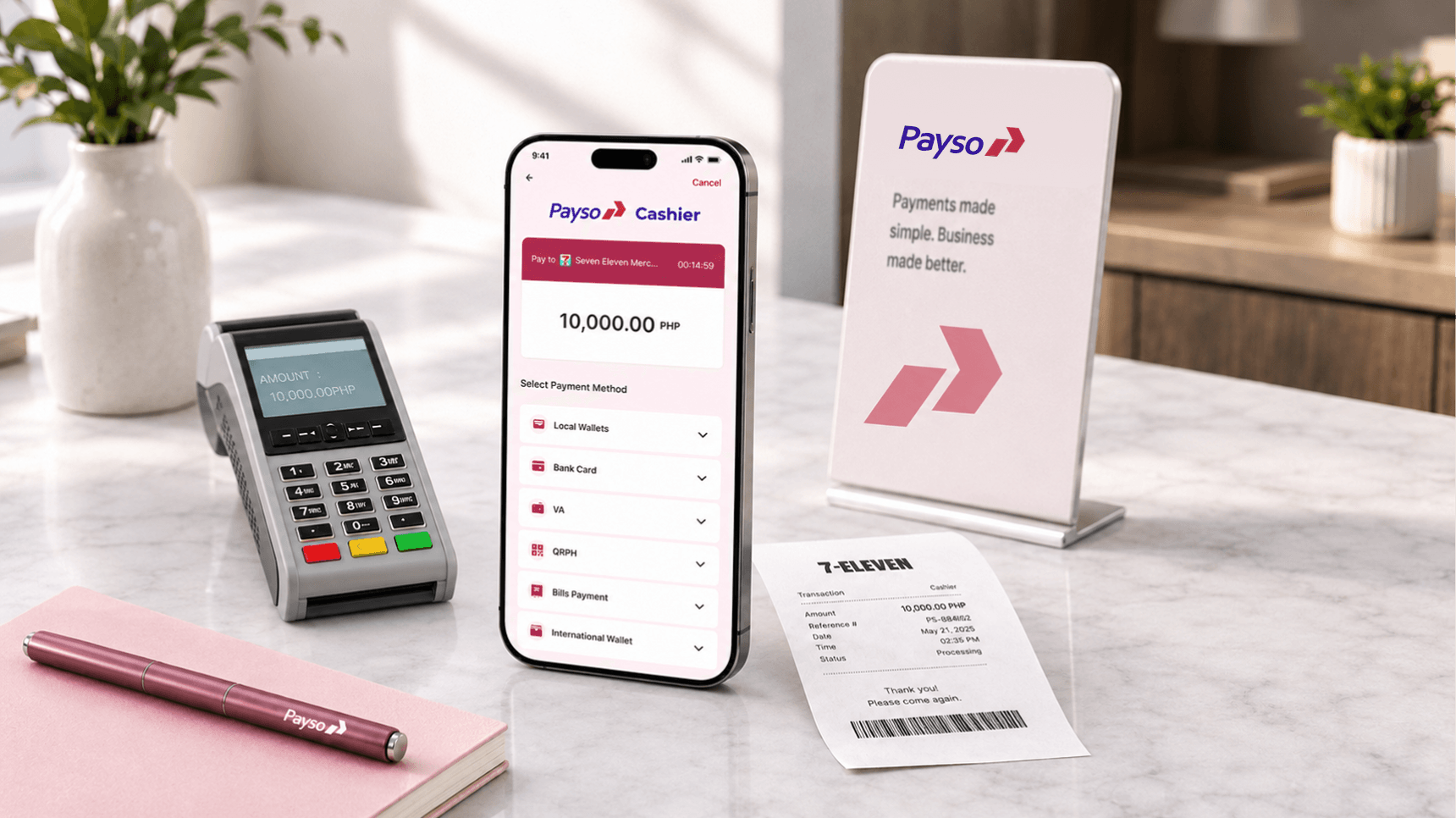
H5-based cashier product designed to facilitate digital payment processing, merchant transactions, and streamlined cashier operations for businesses.
Project Overview
When I joined Payso, the product planning, page flows, and wireframes for Cashier were already in place. My role focused on UI design: translating that structure into clear, responsive payment screens and supporting QA through handoff.
My goal was to make the payment screens easy to read and use, with clear amounts, payment options, and transaction states. I also supported design-to-development QA to keep the implemented UI consistent with the design.
Visual direction
Finding the visual direction.
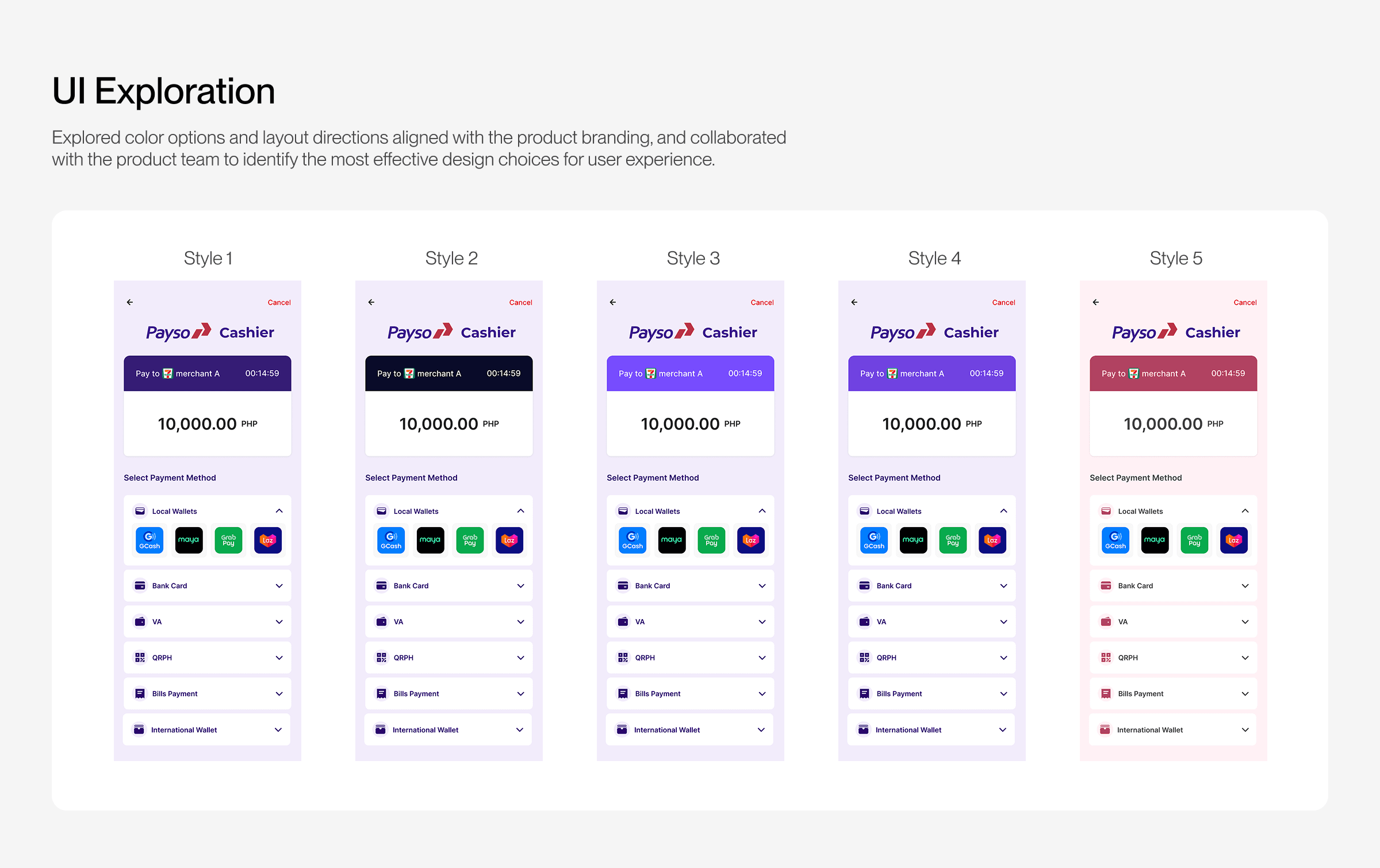
With the structure in place, I explored five UI directions using Payso’s brand colors. I reviewed the colors and layouts with the product team to refine the visual direction for the payment experience.
Final experience
Why Style 5 won.
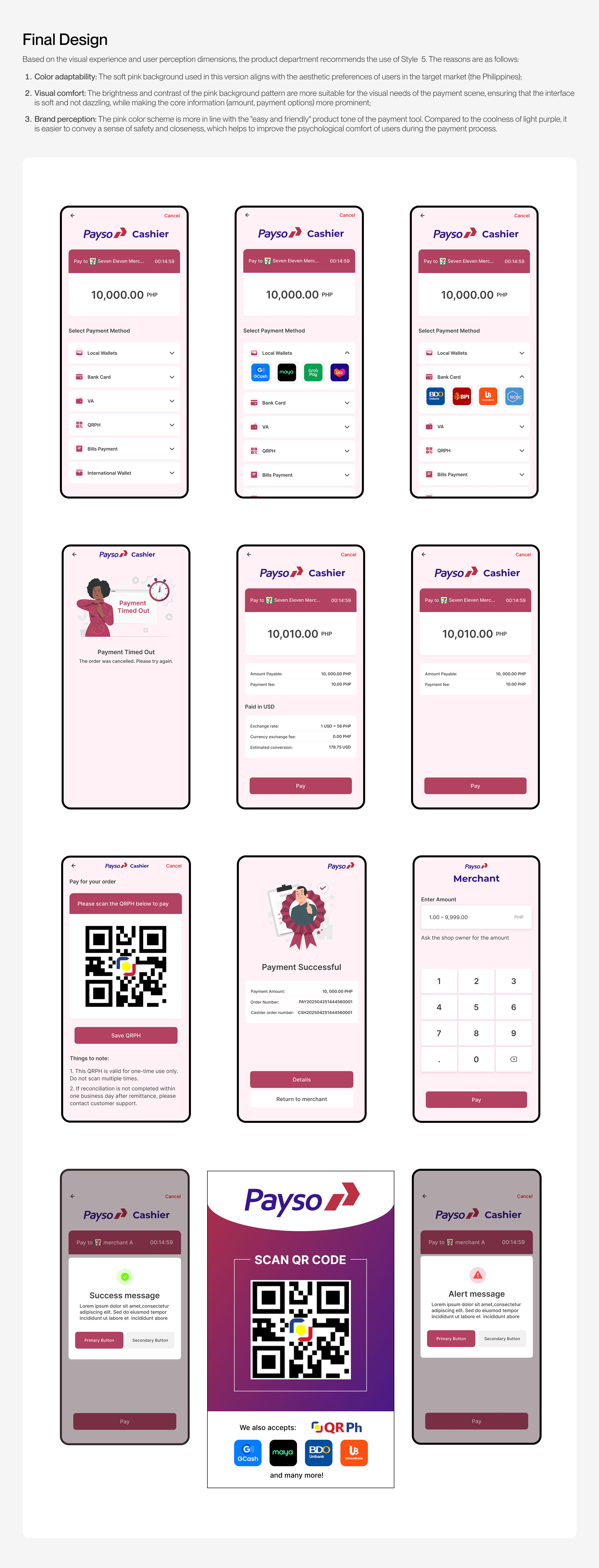
Style 5 became the selected direction. I applied it across the final cashier screens and payment states, building on the existing flows and wireframes. The visual direction was chosen for three practical reasons.
Soft pink better matched the preferences of the Philippine target market.
Balanced contrast kept screens soft while emphasizing amounts and payment options.
The warmer palette felt safer and more approachable than cool purple during payment.
Developer handoff
Taking the UI into development.
Once the UI direction was established, I documented spacing, color, typography, sizing, weight, and styles in Figma Dev Mode to help developers implement the designs accurately.